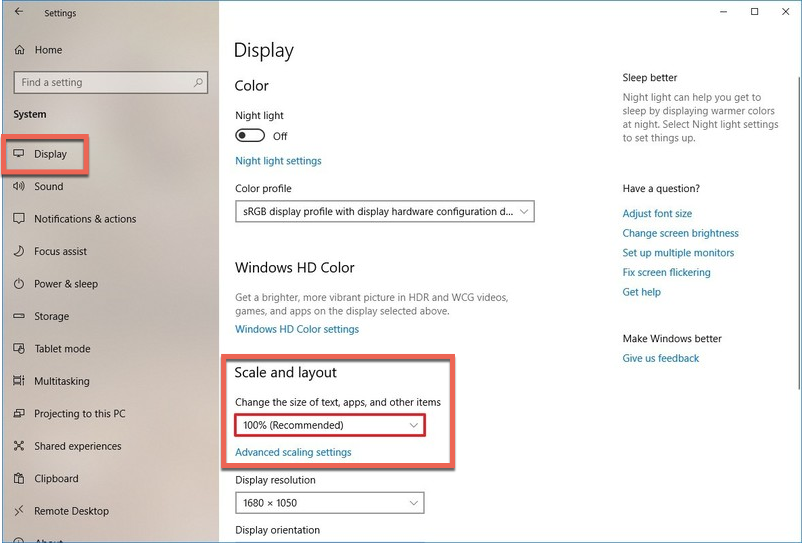
When using OneMob on Windows you may notice that part of the screen could be cut off. This is a Windows zooming issue. To correct the zoom issue follow the steps below:
Open Settings.
Click on System.
Click on Display.
Under the "Scale and Layout" section, use the drop-down menu and select the Scale setting that suits your needs. Options available include 100, 125, 150, and 175 percent.
We use cookies to measure how the site is used and, only if you agree, for advertising. The ones the site needs to work are always on; you choose the rest.
Cookies policy